
Tired of paying for Netflix, Hulu, a sports package, and cable just to watch your favourite shows? You’re not alone. Replacing one big cable bill has often led to a dozen smaller, more complicated ones. This streaming fatigue is pushing a growing number of people to explore a powerful alternative that promises to simplify everything. Obtain the Best information about IPTV Premium.
This frustration has led many to the world of IPTV premium services. Imagine the ultimate dream for cord-cutting: thousands of live channels from around the globe, every sports package, and a massive library of on-demand movies, all in one place for a low monthly fee. It’s presented as the all-in-one answer to content chaos, but the promise often seems too good to be true because of a major catch. Unlike established services, many of these providers operate in a legal and technical gray area. This means the incredible value comes with significant risks involving service reliability, payment security, and legality. Finding truly reliable cable TV alternatives in this space requires understanding what you’re getting into before you pay a single dollar.
This guide provides an honest breakdown of what IPTV is, how it works, and a clear-eyed look at the benefits versus the serious risks. You’ll have the information needed to decide if it’s the right choice for you.
What Is “Premium IPTV” and How Is It Different from Netflix?
You’re likely already familiar with watching videos over your internet connection—that’s all Netflix is. IPTV, which stands for “Internet Protocol Television,” applies that same concept to live TV channels. Instead of a signal coming from a cable or a satellite dish, live channels are streamed to you directly through your home internet.
However, when people talk about “IPTV premium,” they usually mean something specific. While services like YouTube TV are technically a form of IPTV, the “premium” label is often used for unofficial, paid subscriptions that offer a staggering number of channels—often thousands—for a low monthly fee. This is the key difference between a mainstream service with limited channels and these all-in-one packages that operate in a legal gray area.
This focus on live programming is what truly separates IPTV from a service like Netflix. Netflix is a giant on-demand library where you pick a movie or show to watch whenever you want. A premium IPTV service, on the other hand, is more like having a universal remote for every TV channel in the world. You tune in to see what’s broadcasting right now, from live sports and news to international programming.
Ultimately, the goal of IPTV Premium is to be the single subscription that replaces everything else. While the main attraction is the vast selection of live channels, many providers also include a massive library of movies and shows to compete with on-demand services.
The All-You-Can-Watch Buffet: What’s in a Typical IPTV Premium Subscription?
Opening a premium IPTV service for the first time can feel like walking up to a massive international food buffet. The main attraction is the sheer volume of high-definition IPTV channels, often numbering in the thousands or even tens of thousands, from all over the globe. The goal is to give you everything in one place.
While every provider is different, a typical subscription often bundles a staggering variety of content:
- Thousands of live channels from the US, UK, Canada, and many other countries.
- Comprehensive sports packages, often including access to things like NFL Sunday Ticket, NBA League Pass, and major soccer leagues.
- 24/7 channels dedicated to single, popular TV shows for easy binge-watching.
- Pay-Per-View (PPV) events for major sports like boxing and UFC, usually included at no extra charge.
- A large library of on-demand movies and TV series.
Beyond the endless live channels, many services also offer a built-in Video-On-Demand (VOD) section. This part of the service works just like Netflix. It’s a library of movies and full TV show seasons that you can browse and watch anytime you want, making it a powerful hybrid of live TV and on-demand streaming.
Navigating thousands of options sounds chaotic, which is why a good service is built around its Electronic Program Guide (EPG). This on-screen grid guide shows you what’s playing now and what’s coming up next, allowing you to easily flick through channels. A well-organized EPG is essential, and it’s a core feature that makes the low cost of monthly IPTV plans feel like such a powerful deal.
Your 3-Point IPTV Setup Checklist: What You Actually Need to Get Started
That all-you-can-watch buffet of channels sounds great, but getting it on your screen is surprisingly simple. Unlike signing up for cable, there’s no technician and no complicated hardware to install. You likely already have most of what you need.
Before you subscribe, just run through this quick checklist:
- A Stable Internet Connection (at least 25-50 Mbps)
- A Compatible Streaming Device
- An IPTV Player App
Your internet connection is the foundation. For a smooth, buffer-free experience, most providers recommend a speed of at least 25 Megabits per second Mbps, with 50 Mbps being a safer bet, especially for high-definition streams. You can easily check your current speed by searching for “internet speed test” on Google.
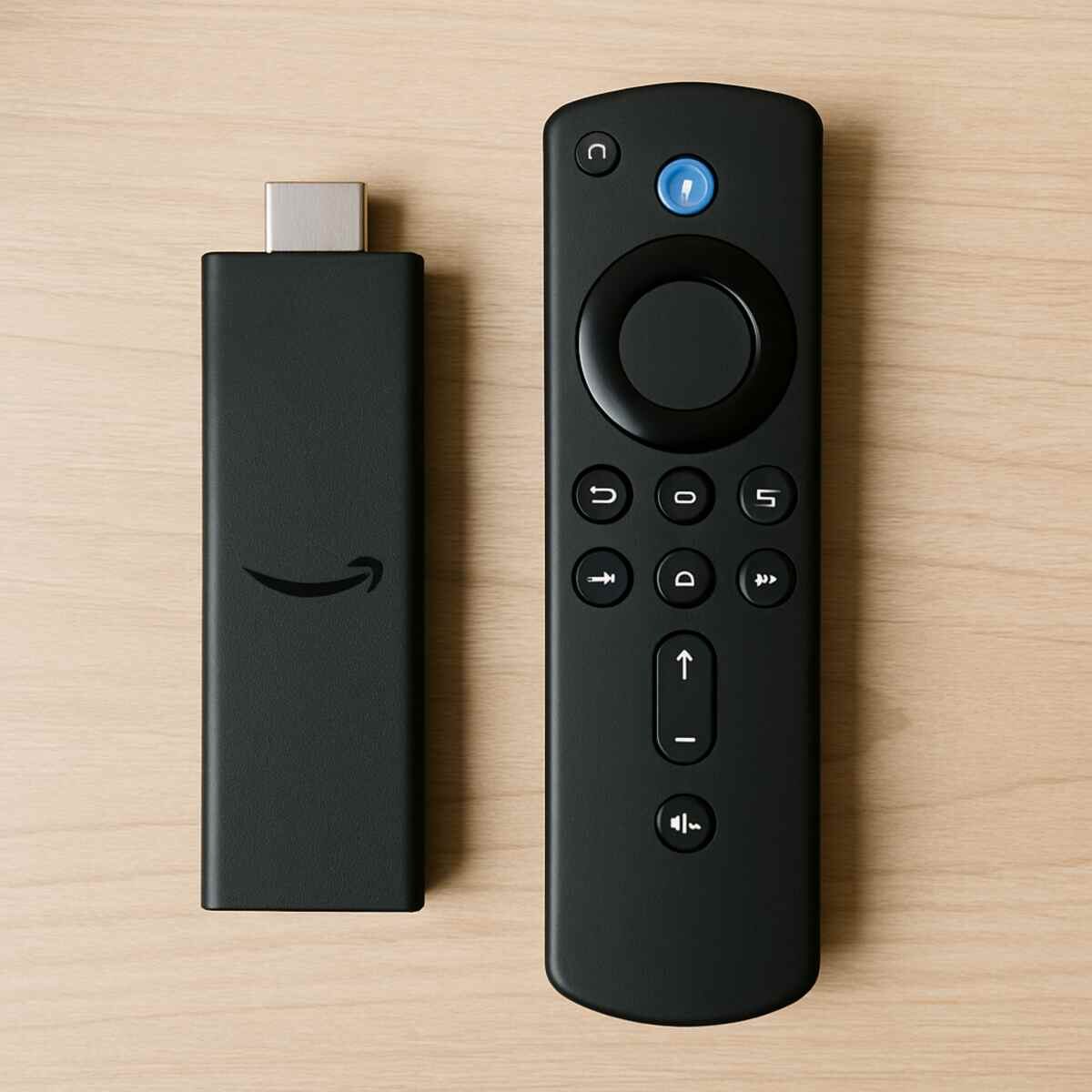
Next, you’ll need a device to run the service on. The good news is that the most popular streaming gadgets are perfect for the job. The process for an IPTV setup for a smart TV (specifically one running Android TV or Google TV) is very similar to figuring out how to install IPTV on Firestick. Apple TV and even some newer video game consoles can also work.
Finally, you need a “player” app. The IPTV service provides the channels, but it doesn’t provide the remote control or TV guide. You’ll install a separate app, like you would with Netflix, that acts as the portal for your subscription. Most IPTV player apps for Android are designed for this. This app is where you’ll use your unique login to unlock all that content.
How Do IPTV Subscriptions Work? The Player App and Your “Magic Key”
Unlike signing up for Netflix where your password only works on the Netflix app, an IPTV subscription works a bit differently. When you pay a provider, you are not buying a specific app or a piece of hardware. Instead, you’re purchasing a unique login that acts like a digital master key. This “key”—often a special link called an M3U playlist or a simple username and password—contains all the information needed to access your gigantic list of channels and movies.
Think of it this way: the IPTV provider gives you the key, but you need to bring your own front door to unlock. That “door” is a separate program called an IPTV player app. You install one of these apps on your Firestick or Smart TV, and then you enter the key your provider gave you. The app takes that key, reads the channel data, and presents everything to you in a familiar, easy-to-use TV guide format. It’s the software that turns a simple link into a full-blown television experience.
This is why the market for IPTV player apps for Android is so large; you have the freedom to choose the “door” you like best. Some apps are simple and free, while others offer advanced features for a small fee. This flexibility is a key consideration, as the right app can make all the difference. Once you have your provider’s “key” and have chosen a player app, the final step is simply putting that key in the lock, which is a surprisingly straightforward process on popular devices like the Amazon Firestick.
Step-by-Step: How to Install IPTV on an Amazon Firestick
Putting your new “magic key” to use on a Firestick is the most common way to get started, but it involves one crucial step you won’t find when installing Netflix. Most of the powerful, feature-rich IPTV player apps we discussed aren’t available on the official Amazon Appstore. To get them, you’ll need to install them from outside that walled garden, a simple process often called “sideloading.” This might sound technical, but it’s surprisingly straightforward.
First, you have to give your Firestick permission to install apps from other places. By default, Amazon blocks this for security. You can easily change this by going into your Firestick’s settings, finding the “My Fire TV” or “Device” section, and turning on the option for “Apps from Unknown Sources.” Think of it as giving your device a one-time permission slip to install the software you choose.
With that setting enabled, you need a tool to actually get the app file. The easiest way is with a free, official app called Downloader, which you can find right in the Amazon Appstore. The Downloader app acts as a simple web browser, allowing you to type in a web address and download the installation file for your chosen IPTV player directly onto your device. It’s the bridge between the open internet and your Firestick.
The overall process for how to install IPTV on Firestick is therefore a simple three-part recipe. First, enable the “unknown sources” setting. Second, install the Downloader app. Third, open Downloader and type in the direct download link for your chosen player app. This basic IPTV setup for smart TV unlocks access to the best player software available, turning your device into a powerful hub for these services.
The fact that you have to go around the official app store is a major clue about the nature of these services that bill themselves as reliable cable TV alternatives, which raises a critical question about their use.
The Elephant in the Room: Is Using Paid IPTV Legal and Safe?
The fact that you have to work around official app stores is a major hint about the nature of these services. Is using paid IPTV legal and safe? The honest answer is that it exists in a complicated legal gray area. While watching is one thing, the services themselves often operate without proper copyright licenses. A legitimate service like YouTube TV pays companies like ESPN and HBO for the right to show their content. Many low-cost IPTV providers don’t, which is how they can offer thousands of channels for such a low price.
The distinction between paid IPTV vs. free services can be misleading here. The core issue isn’t whether you pay, but who you’re paying. Giving your credit card to an anonymous operator who is rebroadcasting content illegally is very different from subscribing to a registered company. Because these unofficial services are not legitimate businesses, you expose yourself to several significant risks.
The “too good to be true” price tag comes with serious potential downsides:
- Service Instability: Providers can—and often do—disappear overnight, taking your money with them. Those tempting “lifetime” subscriptions are a major red flag.
- Questionable Security: The apps you sideload haven’t been vetted by Amazon or Google. They could contain malware designed to steal your information.
- Privacy Concerns: Your Internet Service Provider (like Comcast or Verizon) can often see the sites and services you connect to, including unofficial streaming sources.
- No Guarantees: There is no official customer support to call if the service is buffering, channels are missing, or you want a refund. You’re on your own.
When determining what to look for in an IPTV provider, it’s often easier to spot the warning signs. Be cautious of providers that only accept anonymous payments like cryptocurrency, have no professional website, or communicate exclusively through temporary chat apps like Telegram. These are all signs that the operator wants to remain untraceable.
Ultimately, the choice is a personal one based on your tolerance for risk. You trade reliability, security, and peace of mind for an enormous amount of content at a very low cost. Given the privacy concerns, many users decide that if they are going to explore IPTV, protecting their online activity is a non-negotiable first step.
Why a VPN Is Your Best Friend for IPTV Streaming
A VPN, or Virtual Private Network, is an essential tool for IPTV users. Think of it as a privacy cloak for your internet connection. A VPN is a simple app you run on your streaming device that routes your internet traffic through a secure, third-party server, primarily for two major reasons.
First and foremost, a VPN provides privacy. It does this by creating a secure, encrypted tunnel for all your online activity. Encryption scrambles your data so that no one else can read it. This means your Internet Service Provider (like Comcast, Verizon, or AT&T) can see that you are using the internet, but they can’t see what you are watching or which specific services you are connecting to. This simple step is the most effective way to keep your streaming habits private.
Beyond privacy, using a VPN for IPTV streaming can sometimes lead to a much smoother picture. Many internet providers will intentionally slow down, or “throttle,” your connection speed when they detect high-bandwidth activities like video streaming. Since a VPN encrypts your traffic, your provider can’t tell you’re streaming and therefore won’t apply these specific slowdowns. This can often help stop IPTV buffering issues caused by your ISP.
In short, a VPN is the single most important tool for protecting your privacy and can even improve your streaming performance. While it is the number one fix for ISP-related throttling, it isn’t a magic bullet that solves every playback problem. Buffering can still be a major frustration for other reasons.
The 4 Main Causes of Annoying IPTV Buffering (And How to Fix Them)
There’s nothing more frustrating than settling in to watch a big game or a new movie, only to be interrupted by that dreaded spinning circle. This freezing and stuttering, known as buffering, is the most common complaint with IPTV. While it can feel random, buffering is almost always caused by a bottleneck in one of four specific places.
Understanding where the problem lies is the first step to a smoother picture. Before you get frustrated with your provider, it’s worth running through a quick checklist of the most common culprits, starting right inside your own home. Here’s how you can diagnose and stop IPTV buffering issues.
- Your Home Wi-Fi is Unstable. Wi-Fi is convenient, but signals get weaker through walls and interference. The most reliable fix is to plug your streaming device directly into your router with an Ethernet cable. It’s a simple, wired connection that provides a stable data highway.
- Your Provider’s Servers are Overloaded. If your service was extremely cheap, its servers might be crowded, especially during primetime events. Test your stream late at night. If it works perfectly then the provider is likely the problem.
- Your Internet Company is Slowing You Down. Many internet providers throttle streaming traffic. This is a common reason for buffering if your internet speed is otherwise fast. Using a VPN for IPTV streaming is the most effective way to solve this.
- Your Streaming Device is Too Slow. An older Firestick or Smart TV might not have the processing power to handle high-definition IPTV channels, causing it to fall behind.
Many of these issues, like your Wi-Fi or device, are within your control. You can move your router, use an Ethernet cable, or upgrade your streaming box for a noticeable improvement. If you’ve tried these fixes and still face constant buffering, however, the issue often traces back to the quality of the service itself. This makes learning how to spot a reliable provider from the start the most important skill you can have.
How to Choose a Reliable IPTV Provider and Avoid Scams
Navigating the world of IPTV can feel like the Wild West, with countless providers all promising the best experience. The key is to know what to look for before you commit.
The single most important rule is to never pay for a service without testing it first. Any reputable provider will offer a free, no-obligation trial, usually for 24 to 48 hours. This is your chance to play detective. Use the trial during peak viewing times—like a Sunday afternoon during a big game—to see if the channels buffer or freeze. If it struggles during the test, it will definitely struggle when you’re a paying customer.
Beyond the trial, several other positive signs signal a more professional operation. A good provider has an infrastructure built to help its users. As you explore your options, here is a checklist of what to look for in an IPTV provider:
- Offers a 24-48 hour free trial. This shows they are confident in their service quality.
- Has an active community. Many good services run a Discord or Telegram group where users can get quick support and see real-time status updates.
- Accepts multiple payment methods. A provider that only accepts cryptocurrency is a major red flag. Legitimate services often use more traditional payment processors.
- Provides clear setup instructions. They should have simple, easy-to-follow guides for popular devices like Firestick or Android TV.
On the other hand, be extremely wary of “wary of “lifetime” subscriptions. These are almost always scams designed to get as much money as possible before the service inevitably shuts down. By using a trial and looking for these green flags, you can significantly reduce your risk of a bad experience.
IPTV Premium vs. Traditional Cable: The Final Verdict
You came to this topic likely hearing whispers of a “secret menu” for television—a single service that unlocked everything. Now, you see behind the curtain. IPTV Premium isn’t magic; it’s a choice with a fundamental trade-off between immense content and significant risk. You’ve moved past the simple question of “what is it?” and are now equipped to ask, “Is it right for me?”
This new knowledge makes your cord-cutting comparison straightforward. If your absolute priority is reliability, legal peace of mind, and knowing your service will be there tomorrow, then established, reliable cable TV alternatives like YouTube TV or Sling TV are the clear and safe path forward, despite their higher cost.
If, however, your primary goal is the maximum amount of content for the absolute minimum price, then IPTV Premium presents a powerful alternative. This path requires a comfort with volatility—from potential buffering to services disappearing overnight—and an acceptance of the legal and security gray areas involved.
Ultimately, the best streaming solution isn’t a universal answer, but a personal one. You are no longer just a curious browser; you are an informed consumer. You now possess the critical awareness to evaluate any entertainment offer, weigh its promises against its stability, and confidently choose the path that best fits your budget and your peace of mind.
